
3D Printer
3D Printer
3D Printing at Your Library
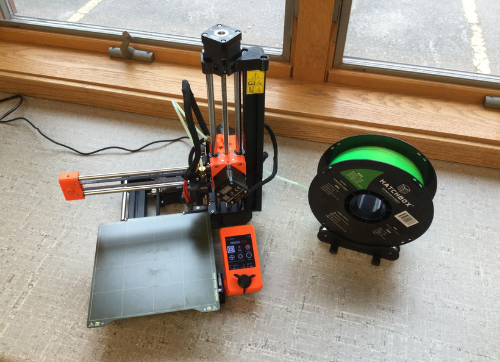
Use our 3D printer – you just need to complete a short certification first. Once certified, you can schedule printing sessions to create toys, household objects, models, and more!
All users must follow the library’s 3D Printer Policy.
Get Certified
Schedule a free 1-on-1 training session with a staff member. You’ll learn how the printer works, file prep basics, and library policies. Takes about 45-60 minutes.
Printer details
File formats accepted: .STL, .OBJ, .3MF
Max build size: 7in x 7in x 7in
Session length: 6 hours a month maximum
Filament: PLA (provided)
Book a print session
Reserve time on the printer to work on your project. Bring your file ready to go – staff will be available if you have questions during your session.
Common Questions
What can I print?
You may print objects that align with the library’s policy and are appropriate for a public space. Common examples include educational models, small tools, household items, prototypes or art pieces.
Where can I find files to print?
Search sites like Thingiverse or Printables to find existing prints, or create your own with sites like Tinkercad. You can prepare your files ahead of time using the free Prusa Slicer software or use a library computer to prepare your file during your appointment.
What does it cost to print?
Printing costs are based on the amount of filament used. Staff will review your file and provide a cost estimate before printing begins, so there are no surprises. Costs are rounded up to the nearest $1.
What colors are available?
Available colors depend on what we have on hand, and may include black, white, red, gold, and rainbow.
How much can I print?
You can print up to 6 hours per month.
When can I print?
Certified users may reserve time to print during Open Maker Space Hours using the form linked above.